Quick Answer
Why is WordPress maintenance important?
WordPress maintenance helps keep your website secure, up to date and working properly. It includes regularly updating WordPress core, plugins and themes, maintaining reliable backups, monitoring security and uptime, and checking that important website functions still work. This matters because 91% of WordPress vulnerabilities identified by Patchstack in 2025 were found in plugins, and some heavily exploited vulnerabilities began attracting attacks within hours of disclosure.
If you run a WordPress website, August 2026 was a very good reminder of why website maintenance isn’t something to put on the “I’ll get around to it” list.
During August alone, security vulnerabilities were disclosed affecting WordPress itself and popular plugins and themes, including Elementor Pro, GiveWP, TranslatePress, Avada and miniOrange SAML SSO. Some of the vulnerabilities were considered critical and could potentially allow attackers to take control of affected websites.
And this isn’t just an unusually bad month.
New research into WordPress security shows that vulnerabilities are increasing and attackers can start exploiting serious vulnerabilities remarkably quickly.
For business owners, the takeaway is simple:
Your website needs someone looking after it.
Not just when something breaks.
Not just when WordPress sends you an update notification.
And definitely not once every six months when someone remembers to log in.
August was a big month for WordPress security
On 6 August 2026, WordPress released version 7.0.3 as a security release addressing 12 vulnerabilities.
The issues included cross-site scripting (XSS), privilege escalation, information disclosure, email verification bypass and server-side request forgery. One vulnerability affecting the WordPress login screen was accessible without authentication and potentially capable of leading to PHP code execution. WordPress recommended that website owners update immediately.
And WordPress core wasn’t the only concern.
Elementor Pro
On 19 August, a critical vulnerability affecting Elementor Pro was publicly disclosed.
The vulnerability affected the Forms module’s File Upload field and could allow an unauthenticated attacker to upload a malicious file and potentially execute code on the website.
It received a CVSS severity score of 9.0 and was patched in Elementor Pro 4.2.2.
miniOrange SAML SSO
A serious authentication bypass vulnerability was disclosed on 21 August affecting multiple editions of the miniOrange SAML SSO plugin.
Under the right conditions, the vulnerability could allow an attacker to log into a WordPress website as an administrator.
It received a CVSS score of 9.8.
Avada
A vulnerability affecting versions of the popular Avada WordPress theme up to version 7.16 was disclosed on 26 August.
It involved unauthenticated remote code execution via arbitrary file write — another example of why themes need security updates just as plugins and WordPress itself do.
GiveWP
Then on 28 August came another particularly serious vulnerability.
A vulnerability affecting GiveWP versions up to 4.16.7.1 could potentially allow an unauthenticated attacker to execute commands on the affected website.
It received the maximum CVSS score of 10, and Patchstack classified it as a known exploited vulnerability. The vulnerability was fixed in version 4.16.7.2. Patchstack
These aren’t obscure pieces of software sitting on forgotten corners of the internet. GiveWP alone was listed by Patchstack as having approximately 100,000 installations.

The bigger WordPress security picture
August makes a great case study, but the bigger numbers are even more interesting.
Patchstack’s State of WordPress Security in 2026 report recorded:
11,334 new WordPress ecosystem vulnerabilities in 2025.
That’s a 42% increase in one year.
Of those vulnerabilities:
91% were found in plugins.
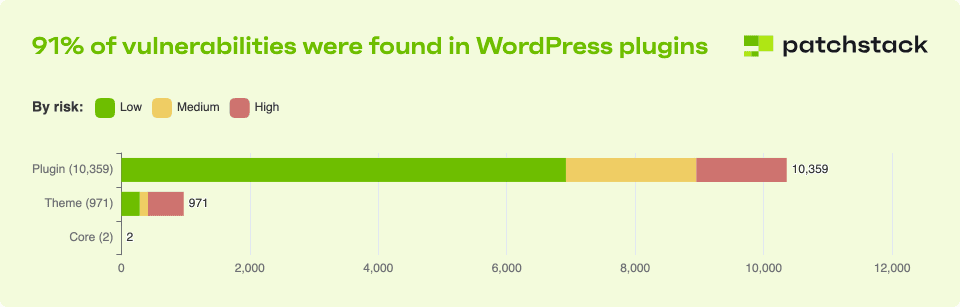
Another 9% were found in themes, while only six reported vulnerabilities were attributed to WordPress core in Patchstack’s dataset.
Perhaps more concerning is the change in severity.
The number of vulnerabilities Patchstack classified as highly exploitable increased by 113% year on year.
So while keeping WordPress itself updated is important, the much bigger security picture is everything you’ve added to WordPress.
Your plugins.
Your theme.
Your forms.
Your eCommerce functionality.
Your page builder.
Your integrations.
And every additional component adds another piece of software that needs to be monitored and maintained.

The number every WordPress website owner should know: 5 hours
This is probably the statistic that matters most.
Patchstack analysed heavily exploited WordPress vulnerabilities and found a weighted median of just five hours between vulnerability disclosure/protection deployment and the first observed exploitation attempt.
It also found approximately half of high-impact vulnerabilities were exploited within 24 hours.
Five hours.
That’s not much time.
It means the old approach of:
“I’ll log into WordPress every few months and update everything”
isn’t really a security strategy.
And even checking once a month doesn’t necessarily mean a website is protected from every newly disclosed vulnerability in between.
That is why professional WordPress maintenance needs to be about more than simply clicking Update.
WordPress maintenance isn't just “Update All”
This is one of the biggest misconceptions we see.
A business owner logs into WordPress, sees 14 updates waiting, clicks Update All and thinks:
Done. Website maintained.
But updates are only one part of website maintenance.
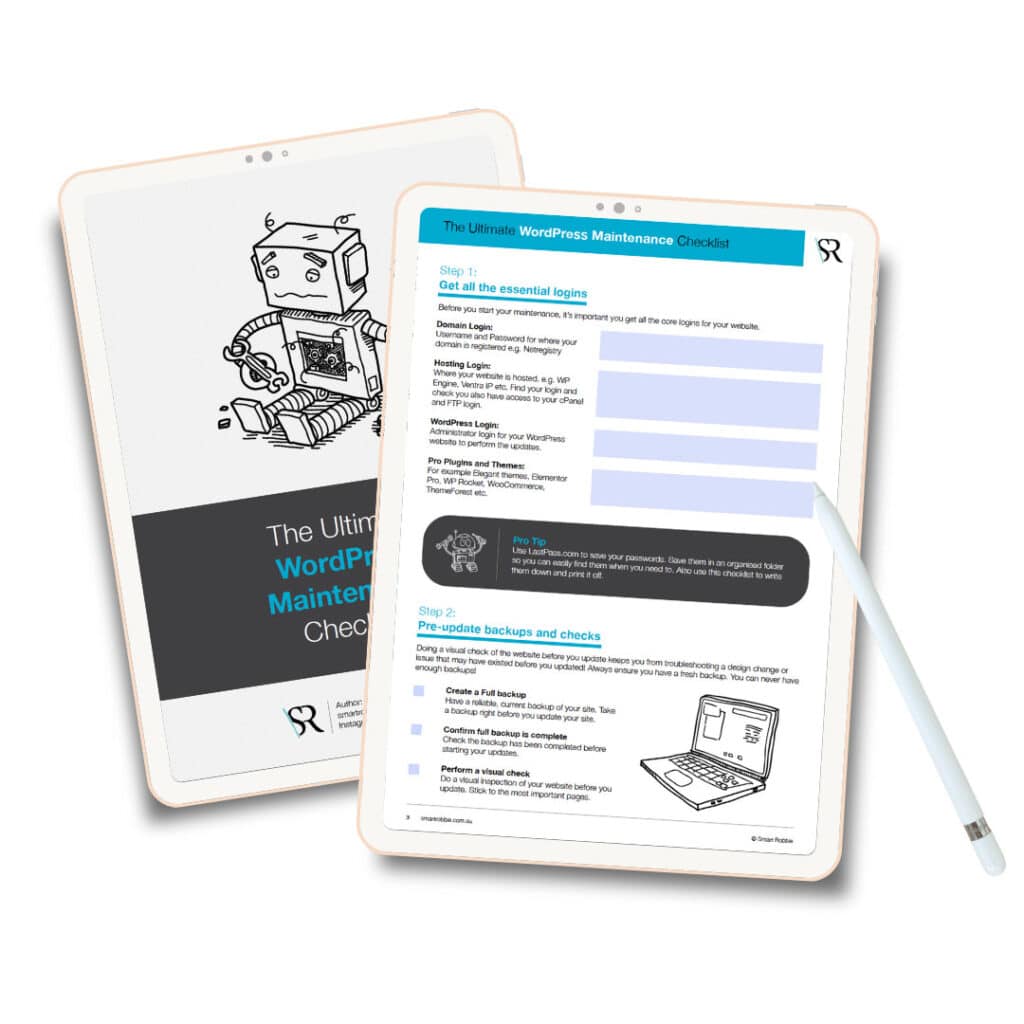
A properly maintained WordPress website should have processes around:
Software updates
WordPress core, plugins and themes need regular updates.
Security monitoring
Someone needs to be watching for vulnerabilities and signs of malware or suspicious activity.
Reliable backups
If an update fails or something happens to the website, you need a recent backup that can actually be restored.
Uptime monitoring
You shouldn’t discover your website has been offline for three days because a customer finally emails you.
Testing
An update can technically complete successfully while breaking a form, layout or important piece of functionality.
Performance monitoring
WordPress websites can gradually become slower as databases grow, plugins change and new content is added.
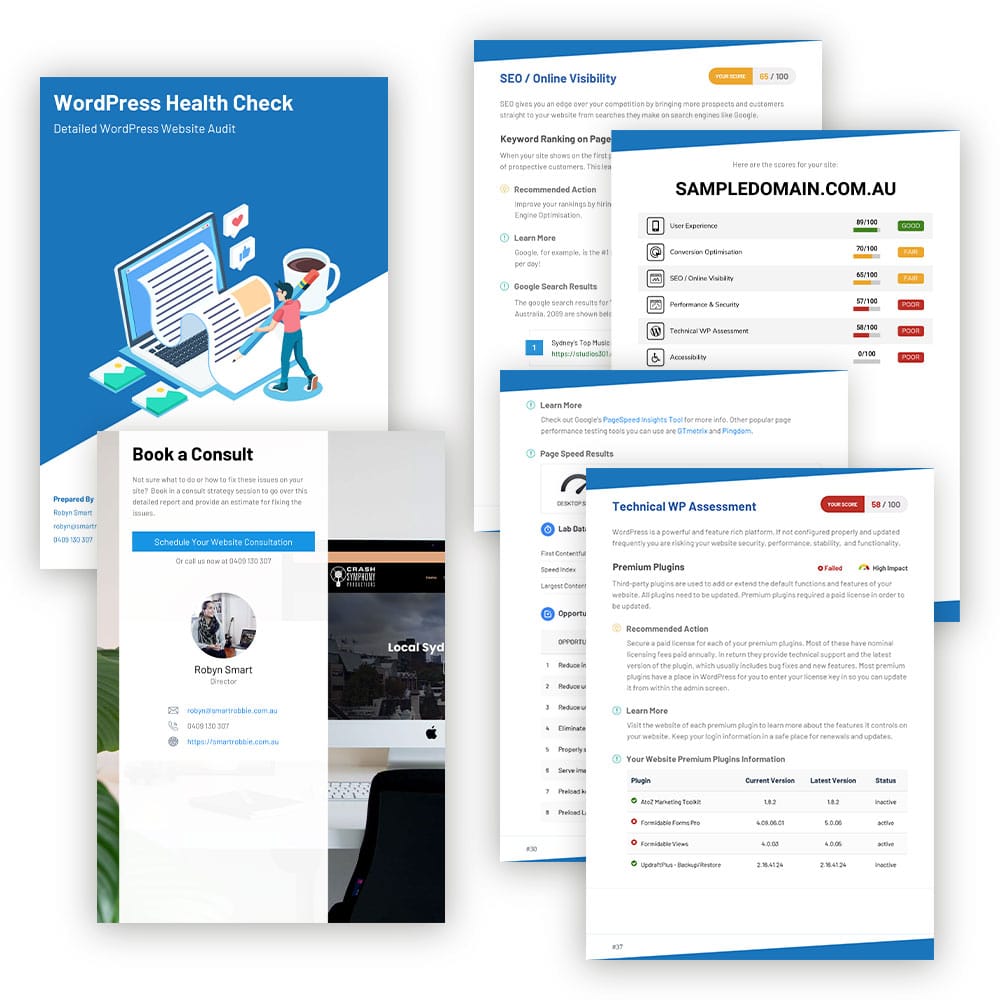
This is why Smart Robbie’s maintenance plans combine updates with backups, security checks, uptime monitoring, form testing, performance checks and ongoing reporting.
“But my website is only small. Why would anyone hack me?”
This comes up all the time.
Most website attacks aren’t somebody sitting at a computer specifically choosing your business.
Automated attacks can scan huge numbers of websites looking for known vulnerabilities.
That’s why the GiveWP vulnerability mentioned above is so relevant: Patchstack describes vulnerabilities of this type as capable of being used in mass-exploit campaigns against thousands of websites, regardless of their size or popularity.
You don’t need to be a bank, major retailer or multinational company to have a website worth attacking.
An automated bot doesn’t care how many employees you have.
It cares whether the vulnerability it’s looking for exists on your website.
More plugins = more software to maintain
Plugins are one of the things that make WordPress brilliant.
Need a form? There’s a plugin.
Need bookings? Plugin.
WooCommerce? Plugins.
SEO? Plugin.
Page builder? Plugin.
Membership system? Plugin.
But each plugin is also another piece of software running on your website.
And with 91% of the vulnerabilities recorded in Patchstack’s 2025 dataset occurring in plugins, knowing what’s installed on your website matters.
This doesn’t mean plugins are inherently unsafe or that you should delete everything.
It means they need to be chosen carefully, kept current and monitored.
Unused plugins should be removed.
Abandoned plugins should be replaced.
And security updates shouldn’t sit untouched in your WordPress dashboard indefinitely.
Why can't I just turn on automatic updates?
Automatic updates can certainly help.
But they aren’t the same as professional website maintenance.
Updates can occasionally introduce compatibility issues or affect functionality. A website can remain online while an important feature — such as a contact form, checkout or booking system — has stopped working.
There are also situations where simply waiting for an update isn’t enough.
The miniOrange vulnerability disclosed in August is a particularly interesting example. Patchstack reported complications around multiple editions of the plugin and noted that available updates weren’t necessarily being shown in the WordPress dashboard in the usual way.
That’s why we believe WordPress maintenance still needs human oversight.
At Smart Robbie, our maintenance process isn’t simply an automated Update All button.
We maintain the website, monitor it and check that it continues working afterwards.
What happens if you don't maintain your WordPress website?
Sometimes nothing happens.
For months.
And that’s exactly why maintenance is easy to ignore.
Until suddenly you have:
a hacked website,
a broken contact form,
an incompatible plugin,
a failed update,
a slow website,
unexpected downtime,
malware,
or a website that needs to be restored from backup.
The purpose of website maintenance isn’t to guarantee that nothing will ever go wrong.
No responsible website professional can promise that.
The purpose is to reduce the risk, identify problems sooner and have systems in place to recover when something does go wrong.
What does Smart Robbie's WordPress maintenance include?
Smart Robbie trusted by 450+ Australian business websites.
Our WordPress maintenance plans start from $98 per month, with options for standard business websites through to larger and eCommerce websites.
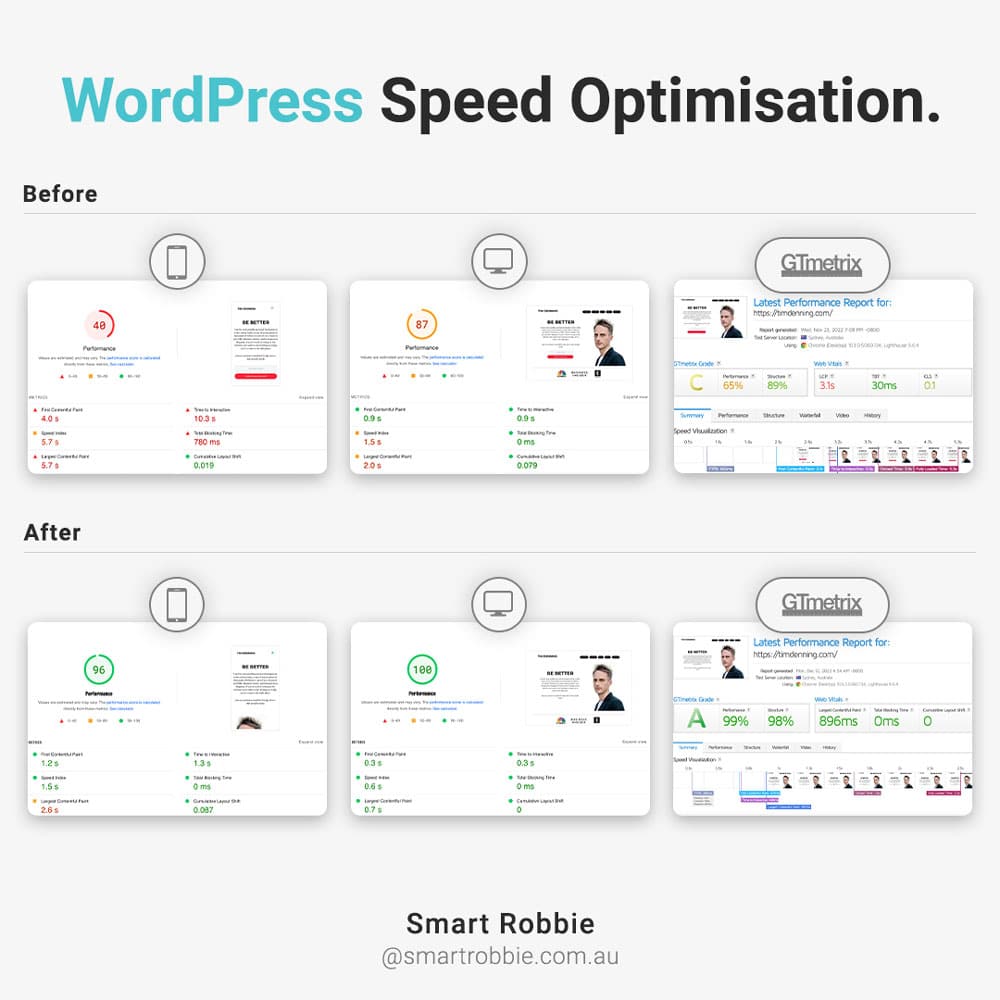
Depending on your plan, maintenance can include regular WordPress, theme and plugin updates, daily cloud backups, security checks and monitoring, uptime monitoring, form testing, database optimisation, performance checks, broken-link reporting, image optimisation, speed optimisation and monthly reporting.
Most importantly, there’s a real WordPress team behind the service.
Because website maintenance shouldn’t just be software watching software.
Does your WordPress website need a maintenance plan?
If your website generates enquiries, bookings, sales or leads for your business, we’d argue that the better question is:
Can your business afford for nobody to be looking after it?
The security landscape has changed.
More vulnerabilities are being discovered, plugins represent the overwhelming majority of newly reported WordPress vulnerabilities in Patchstack’s latest dataset, and serious vulnerabilities can begin attracting attacks within hours. Patchstack
Your website is a business asset.
Treat it like one.
Let Smart Robbie take care of your WordPress website while you take care of your business.

FAQs
WordPress maintenance is the ongoing process of keeping a WordPress website secure, updated, backed up and functioning correctly. It typically includes WordPress core, theme and plugin updates, security monitoring, backups, uptime monitoring, performance checks and testing.
WordPress websites rely on WordPress core, themes and plugins that are continually updated. Security vulnerabilities can be discovered in any of these components. Patchstack recorded 11,334 new WordPress ecosystem vulnerabilities during 2025, with 91% found in plugins.
Patchstack's 2026 security report found that approximately half of high-impact vulnerabilities it analysed were exploited within 24 hours. When weighted by exploitation activity, the median time to the first observed exploit was five hours.
Plugins aren't automatically unsafe, but they need to be maintained. Patchstack reported that 91% of newly identified WordPress ecosystem vulnerabilities in its 2025 dataset were found in plugins. Keeping plugins updated, removing unused software and monitoring vulnerabilities helps reduce risk.
Yes, but WordPress maintenance involves more than installing updates. Business owners should also consider backups, security monitoring, uptime monitoring, compatibility testing, forms and website performance.
Smart Robbie's WordPress maintenance plans currently start at $98 per month including GST, with Premium and Platinum options for websites requiring more frequent maintenance and additional services.